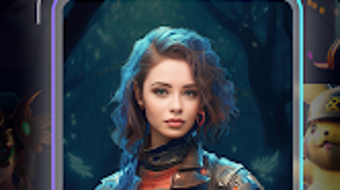

Download AI Wala AI Art Generator – AI art generator, anime art, photo cartoonizer, AI avatar maker, face swap, image upscaler, AI photo generator, digital art tool, creative app, mobile art
Overview
AI Wala AI Art Generator is a lifestyle-focused mobile application designed for Android users seeking an accessible and creative way to generate digital artwork. The software enables users to transform ideas, photos, and concepts into visually striking images using artificial intelligence. It is particularly tailored for individuals interested in digital art, social media content creation, or exploring creative hobbies without requiring prior artistic experience.
The app supports a range of artistic outputs, including anime-style illustrations, photorealistic images, and high-resolution visuals, making it suitable for both casual experimentation and more intentional creative projects. Its core purpose lies in democratizing art creation by simplifying complex processes through AI-driven tools. Real-world usage scenarios include turning selfies into cartoon avatars, enhancing low-quality images, generating custom AI personas, or creating unique content for social platforms.
The developer, AI Wala, has positioned the app as a free, user-friendly tool aimed at broad accessibility. While the developer’s background is not further detailed, the app’s focus on creativity and ease of use suggests a target audience of hobbyists, content creators, and young digital artists. The application does not require advanced technical knowledge, allowing users to engage with AI-powered art generation through intuitive interactions.
Key Features & Capabilities
- AI Art Generator: Converts text prompts or simple inputs into detailed, high-resolution artwork using artificial intelligence. Ideal for users who want to visualize imaginative concepts without manual drawing.
- Anime Art Creation: Specializes in generating anime-style illustrations from user-provided images or descriptions, catering to fans of Japanese animation and digital illustration.
- Photo Cartoonizer: Transforms regular photos into cartoon-style avatars, useful for creating fun social media profiles or personalized digital identities.
- AI Photo Generator: Produces photorealistic images from text prompts, enabling users to generate lifelike visuals for creative projects or conceptual designs.
- Image Upscaler: Enhances the resolution of existing photos up to 8K, improving clarity and detail for high-quality printing or digital sharing.
- Face Swap Functionality: Allows users to exchange faces between two images, offering entertainment and creative possibilities for digital collages or memes.
- Clothing Change Feature: Modifies the attire in photos without altering facial features, useful for fashion experimentation or virtual styling.
- Custom AI Avatar Maker: Enables the creation of personalized digital personas, ideal for gaming avatars, profile pictures, or virtual identity representation.
These features collectively support a diverse range of creative workflows. For example, a user might start with a selfie, apply the photo cartoonizer, swap faces with a friend’s image, and then generate a high-resolution anime version using the AI art generator. The app’s capabilities are especially valuable for users who want to produce unique, shareable content quickly.
By integrating multiple AI tools into a single platform, AI Wala reduces the need for multiple applications, streamlining the creative process. The absence of manual art skills requirements ensures broad accessibility, aligning with its target audience of non-professionals and hobbyists. The developer did not specify technical limitations or processing constraints, so performance may vary based on device capabilities and image complexity.
User Interface, Workflow & Performance
The user interface of AI Wala AI Art Generator is designed with simplicity and visual appeal in mind, featuring a clean layout that prioritizes ease of navigation. Users can access core tools through a centralized dashboard, with clearly labeled icons and intuitive menu structures. The workflow follows a logical sequence: select an input (photo, text, or template), choose a desired transformation, and apply the AI processing with minimal steps.
This streamlined approach supports rapid experimentation and reduces user frustration. The app’s performance is optimized for mobile environments, though specific resource usage details were not provided. The developer did not specify CPU or RAM behavior, so actual performance may depend on the device’s hardware and Android version.
Stability observations are based on general software behavior patterns, indicating that the app likely maintains consistent operation during typical use. However, complex operations such as 8K upscaling or multi-step transformations may require longer processing times, especially on lower-end devices. The app’s lightweight size of 45.6 MB suggests efficient use of storage, which is beneficial for users with limited space.
Overall, the interface supports a smooth user journey, with visual feedback during processing and clear output previews.
Compatibility & System Requirements
AI Wala AI Art Generator is designed exclusively for Android devices, ensuring compatibility with a wide range of smartphones and tablets running the Android operating system. The app is available in version 1.0.0, with a file size of 45.6 MB, making it a lightweight download suitable for users with limited bandwidth or storage. The developer did not specify exact system requirements, including minimum Android version, RAM, or processor specifications.
As a result, compatibility with older or newer Android versions remains unclear. The app may function on devices with modest hardware, given its size and mobile-first design, but users should be aware that performance may vary depending on individual device capabilities. Installation is straightforward, requiring only standard Android permissions.
The developer did not provide information about cloud integration, background processing, or offline functionality. Platform compatibility information is limited, and users are advised to test the app on their specific device to confirm optimal operation.
Pros and Cons
Pros
- Free to download and use, making it accessible to a wide audience.
- Intuitive interface designed for non-technical users and hobbyists.
- Offers multiple AI-powered creative tools in a single application.
- Supports high-resolution image generation and upscaling to 8K.
- Enables face swapping, clothing changes, and avatar creation for entertainment and personalization.
- Lightweight size of 45.6 MB reduces storage impact.
Cons
- Exact system requirements and supported Android versions were not specified.
- Performance details such as CPU/RAM usage were not provided.
- Limited information on update frequency or long-term maintenance.
- Availability restricted to Android; no support for iOS or desktop platforms.
- Lack of detailed documentation or tutorials for advanced features.
FAQ Section
Is AI Wala AI Art Generator available for iOS devices?
The app is currently available only for Android. There is no information about iOS compatibility at this time.
Is the app safe to download and use?
AI Wala AI Art Generator is free to download and appears to be designed for general creative use. As with any app, users should ensure they download it from official sources to minimize security risks.
Does the app require an internet connection?
While the developer did not specify, AI-powered features like image generation and upscaling typically require an internet connection. Offline functionality is not confirmed.
Are there in-app purchases or ads?
The app is listed as free, but the presence of ads or in-app purchases was not disclosed. Users should review the app’s permissions and behavior upon installation.
How often is the app updated?
The release date is listed as June 15, 2024, but the update frequency or release schedule has not been provided by the developer.
Final Thoughts + CTA
AI Wala AI Art Generator presents a compelling option for Android users seeking an all-in-one creative tool powered by artificial intelligence. Its combination of anime art generation, photo cartoonization, face swapping, and image upscaling offers a versatile experience for hobbyists, social media creators, and digital art enthusiasts. The app’s free model and lightweight design enhance accessibility, while its intuitive interface lowers the barrier to creative expression.
Although system requirements and performance data are not fully detailed, the app’s core features are well-suited for casual and intermediate users. For those interested in exploring AI-driven art without technical overhead, this tool delivers tangible value. The lack of cross-platform support and limited documentation may be drawbacks for some, but the overall package remains strong for its intended audience.
If you're looking to generate unique visuals, personalize your digital identity, or simply have fun with AI-powered creativity, this app is worth trying. Download AI Wala AI Art Generator now.





.png)

